
The Problem
Every Sui developer knows this workflow: copy an address from the terminal, paste it into another command, make a typo, start over. Switch networks, forget which one you’re on, send to the wrong place. Deploy a contract, stare at a wall of JSON, hunt for your package ID.
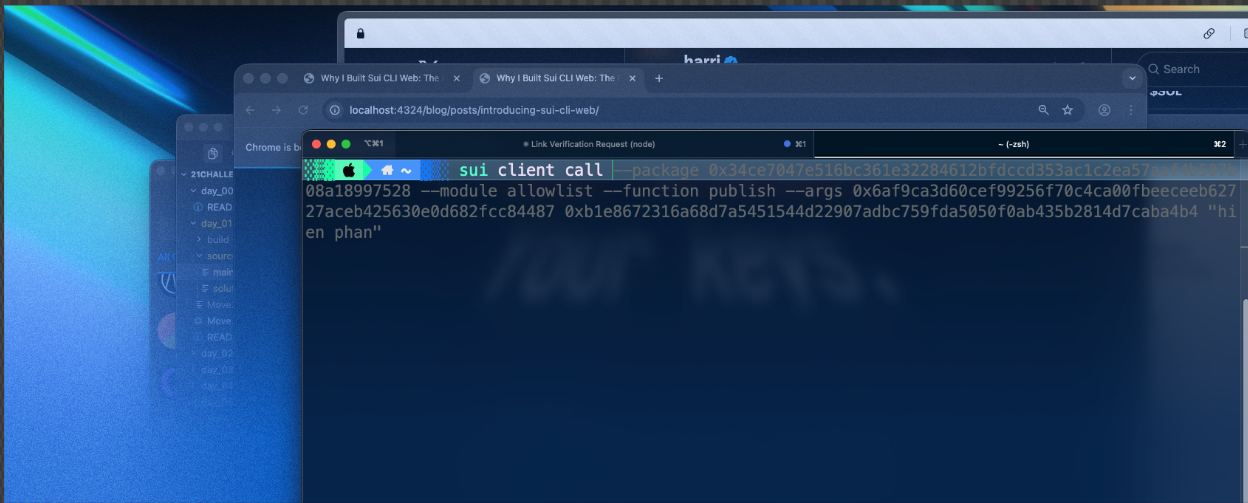
The reality: juggling terminals, copying hashes, and hoping you didn’t make a typo
The Sui CLI is powerful. But powerful doesn’t mean pleasant.
I was spending more time managing the tooling than actually building.
The First Attempt: Raycast Extension
My first solution was a Raycast extension. If you’re on macOS, Raycast is like Spotlight on steroids: a command palette for everything.
I wrapped common Sui CLI commands into Raycast actions: check balances, transfer tokens, switch networks, inspect objects. All accessible with ⌘K.
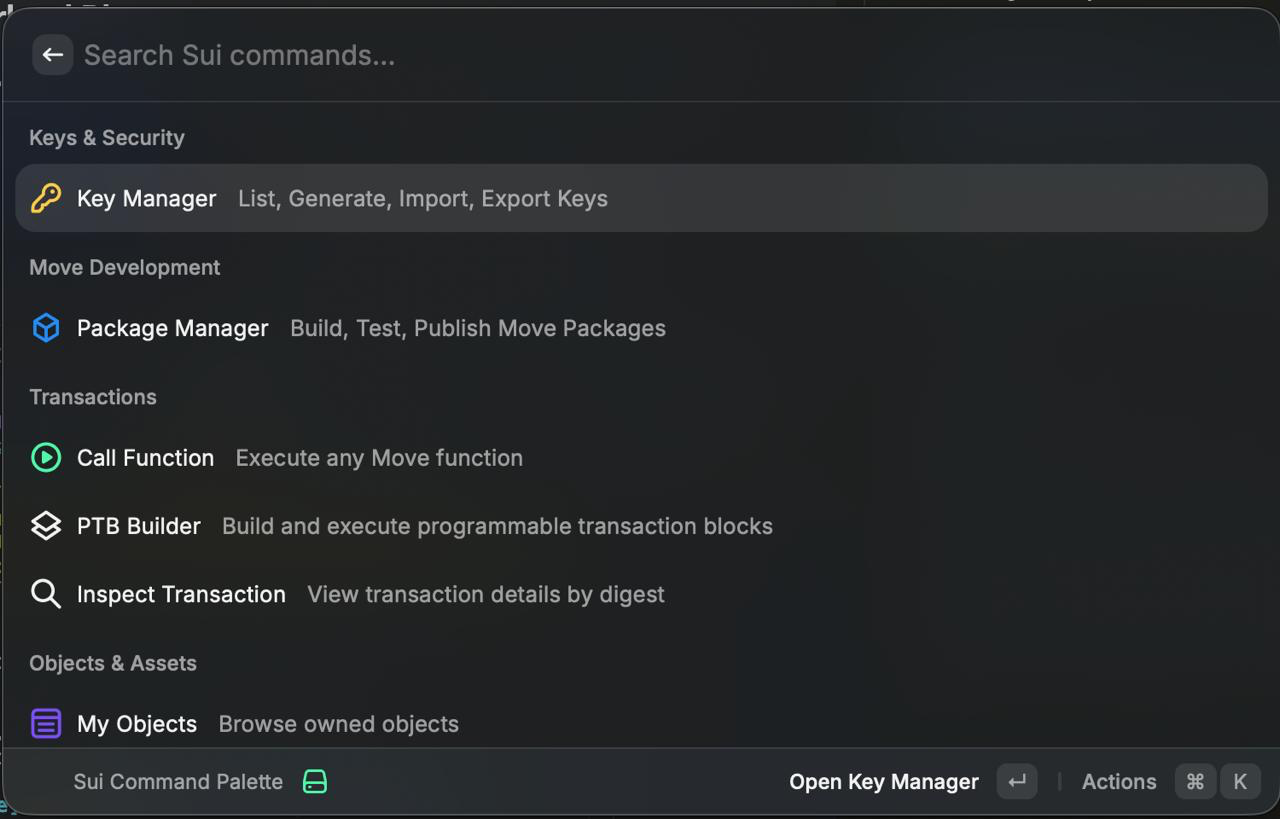
It worked great. For me. On my Mac.
But when I wanted to share it with my team:
A tool locked to one platform isn’t really shareable.“Cool! How do I use it?”
“Install Raycast, then add my extension…”
“I’m on Windows.”
Second Attempt: Desktop App
Next, I tried building a cross-platform desktop app with Tauri. Same functionality, but packaged as a native application that runs on macOS, Windows, and Linux.
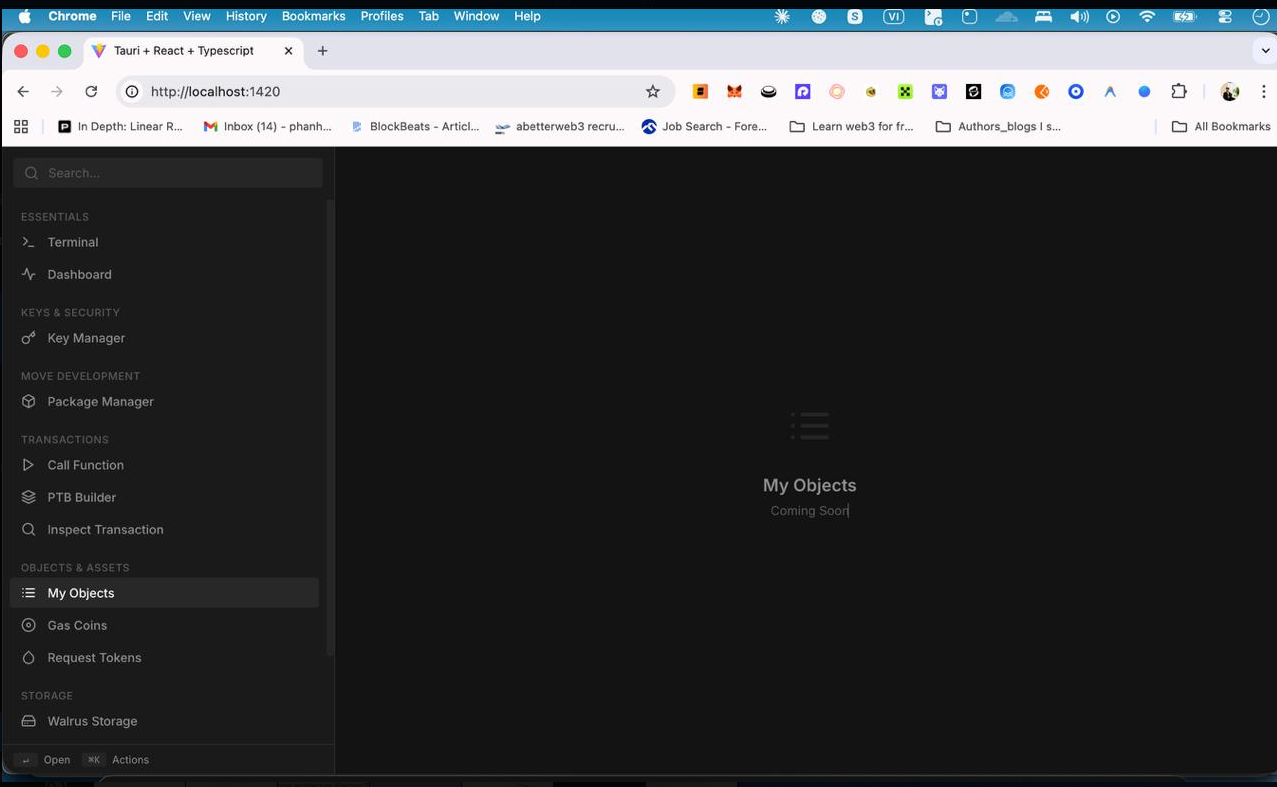
It worked. But sharing still meant: “Download this installer, run it, trust this unsigned app, allow network access…”
Too much friction.The Final Answer: Web
What if there was nothing to install at all?
A web app that talks to a local server. The UI runs in your browser. The server runs on your machine and executes CLI commands. Share a URL, and anyone can use it immediately.
The architecture was simple: a web UI that talks to a local bridge server. The bridge server runs on your machine and executes Sui CLI commands. Your keys never leave your computer.
Browser (any platform)  →  localhost:3001  →  Your Sui CLI
        ↑                        ↑                  ↑
    hosted UI              runs locally        your keys stay here
Setup takes one command:
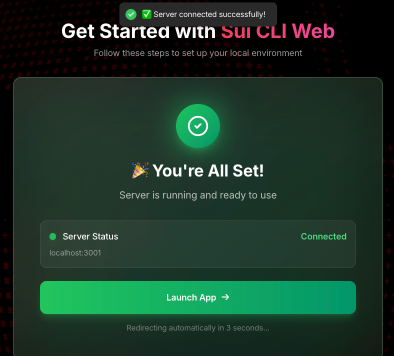
Three weeks of building later, I had something unexpected:
The web version was faster than the terminal.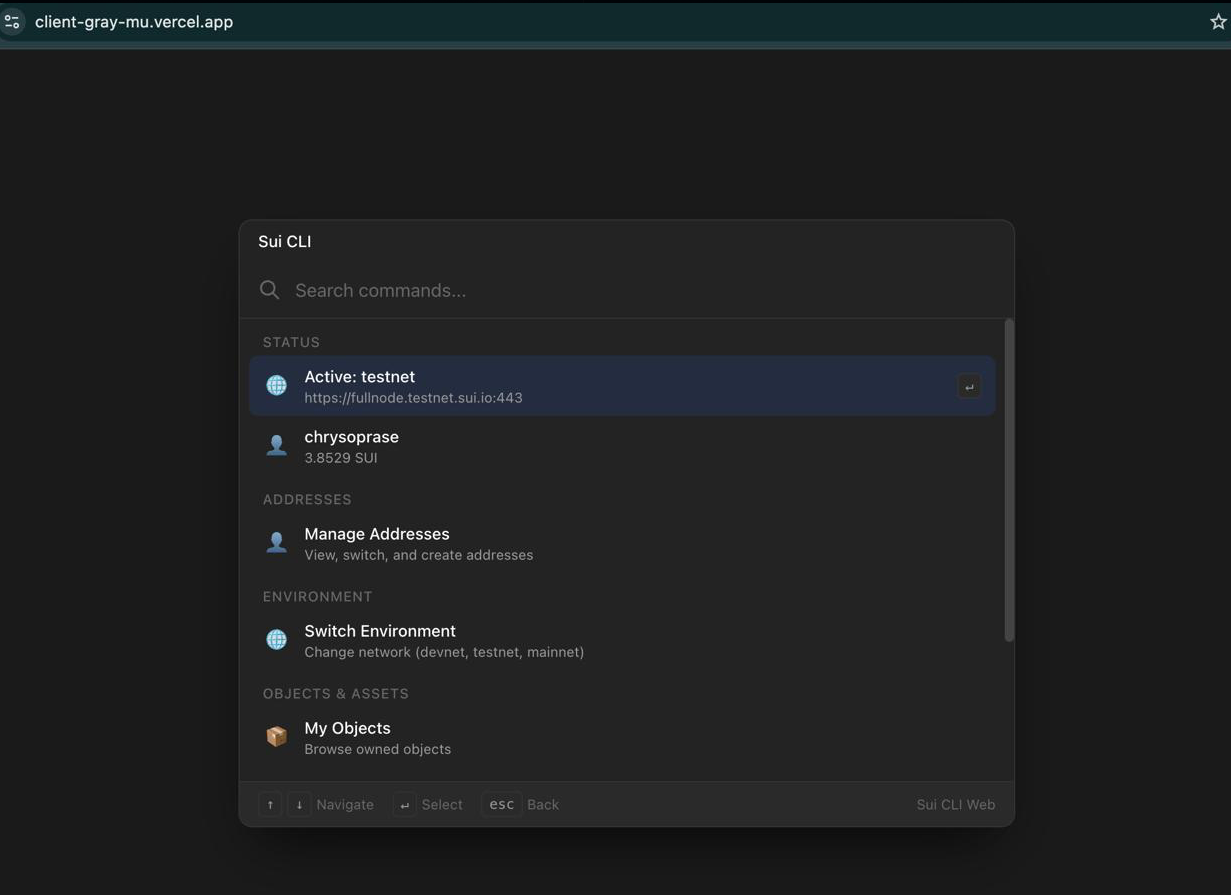
Not because it did less. It did the same things. But keyboard shortcuts eliminated repetitive typing. ⌘K to open any command. Tab to autocomplete. Visual feedback caught errors before I submitted transactions.
The same workflow patterns from Raycast, now accessible to everyone.
But Is It Safe?
Here’s the problem with most web-based crypto tools: they want your private keys.
Every browser wallet, every web app that can sign transactions: they all need access to your keys. That’s a massive attack surface. One compromised website, one malicious extension, and your funds are gone.
I refused to build another key-custody tool. But how do you build a web app that can sign transactions without holding keys?
The answer came from an unexpected place: the architecture of development tools like VS Code’s Live Share.
┌─────────────────────────────────────────────────────────┐
│                    YOUR BROWSER                         │
│              (hosted on cli.firstmovers.io)             │
│                         │                               │
│                    HTTP requests                        │
│                         ▼                               │
├─────────────────────────────────────────────────────────┤
│                  localhost:3001                         │
│            (runs on YOUR machine only)                  │
│                         │                               │
│                   CLI commands                          │
│                         ▼                               │
├─────────────────────────────────────────────────────────┤
│                    YOUR SUI CLI                         │
│              (your keys, your config)                   │
└─────────────────────────────────────────────────────────┘
The web UI is just a pretty face. All the real work happens on your machine through a tiny bridge server. Your private keys never touch the internet. They never leave your computer. The hosted web app literally cannot access them.
The best of both worlds: convenience of a web interface + security of local key storage.
Real Workflows, Real Examples
Enough theory. Let me show you what using Sui CLI Web actually looks like.
Example 1: Checking Balances Across Networks
The old way (terminal):
sui client switch --env testnet
sui client gas
# Copy output, parse mentally
sui client switch --env mainnet
sui client gas
# Try to remember testnet numbers
The Sui CLI Web way:
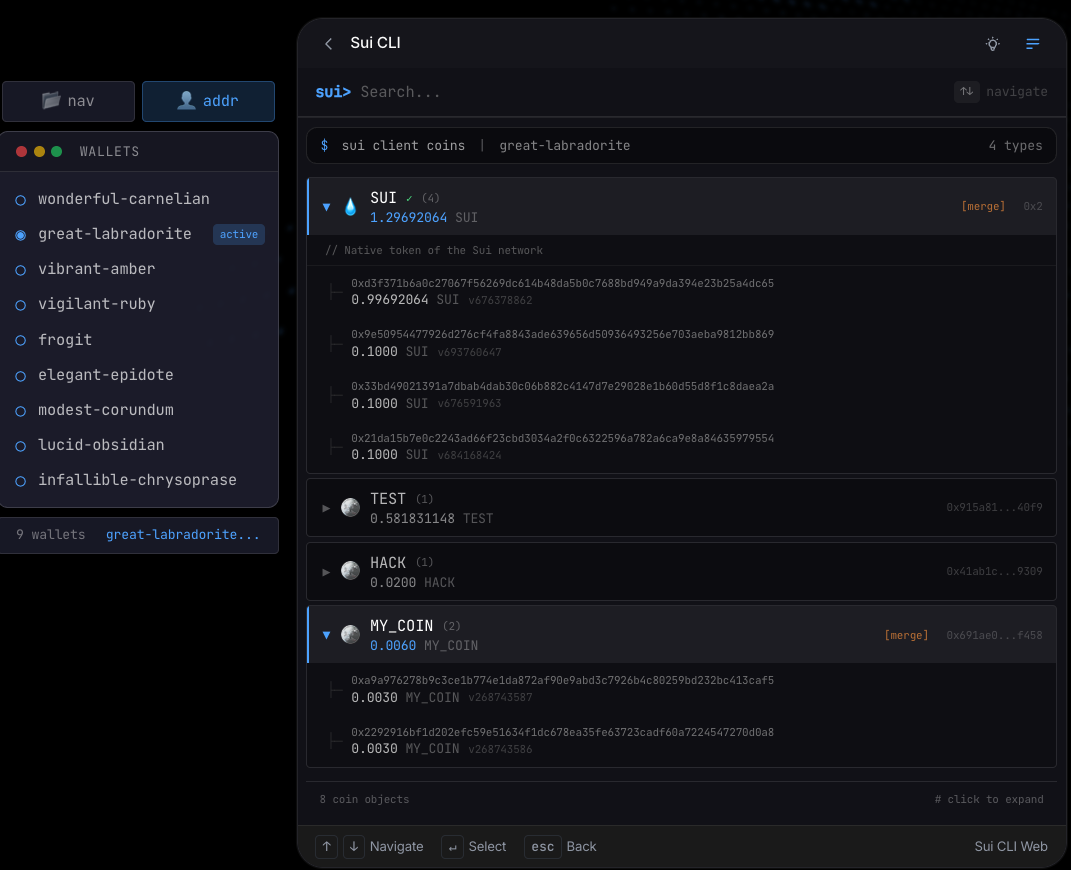
Press Cmd+K, type “balance”. See all your addresses, all networks, all tokens in one view. Click to switch. No commands to remember.
Example 2: Transferring SUI Tokens
The old way:
# First, find recipient address (where did I put it?)
# Check balance to pick a coin
sui client gas
# Copy coin object ID
sui client transfer-sui --to 0x1234...abcd --sui-coin-object-id 0xabc...123 --gas-budget 10000000
# Hope you didn't typo anything
The Sui CLI Web way:
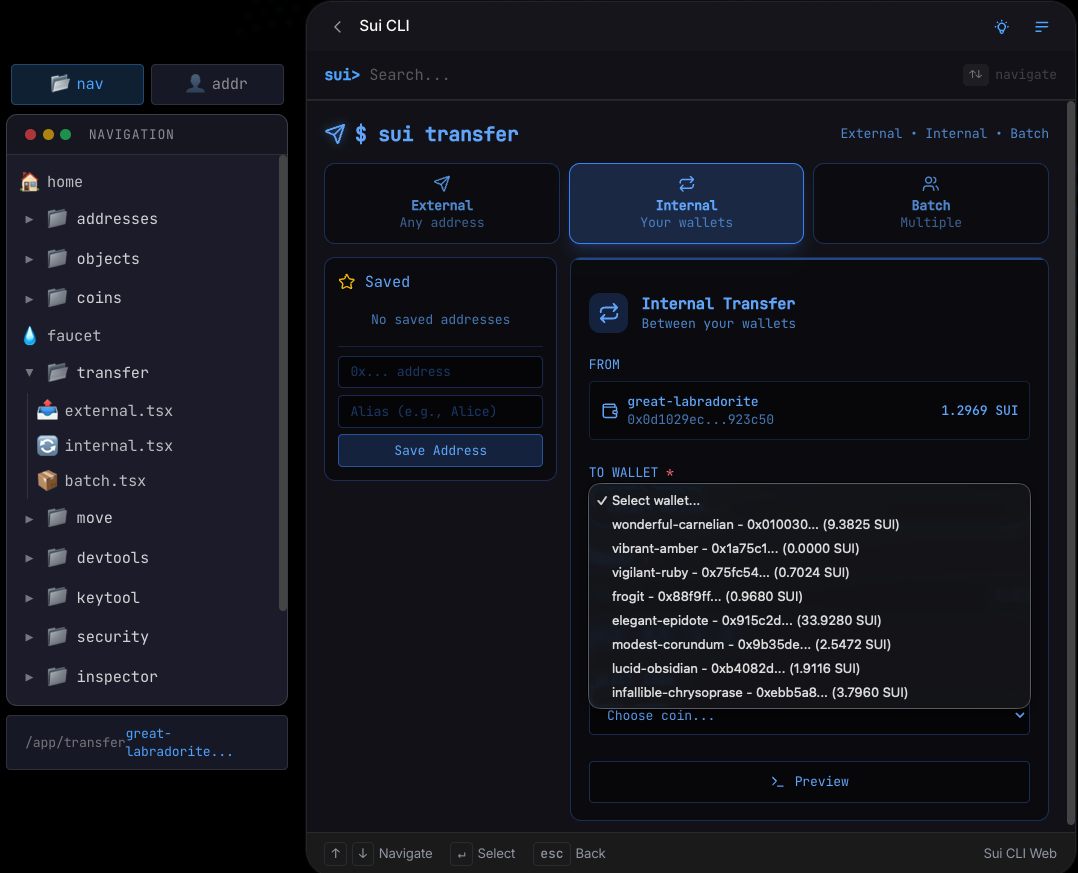
Cmd+K → “transfer” → Select recipient from address book → Pick coin visually → Confirm. Done in 5 seconds with zero chance of address typos.
Example 3: Deploying a Move Contract
The old way:
cd my-project
sui move build
# Scroll through warnings
sui client publish --gas-budget 100000000
# Wait... did it work? Parse the JSON output
# Try to find the package ID in the wall of text
The Sui CLI Web way: Open Move tab → Select project folder → Click Build → Review results visually → Click Deploy → See your package ID highlighted, ready to copy.
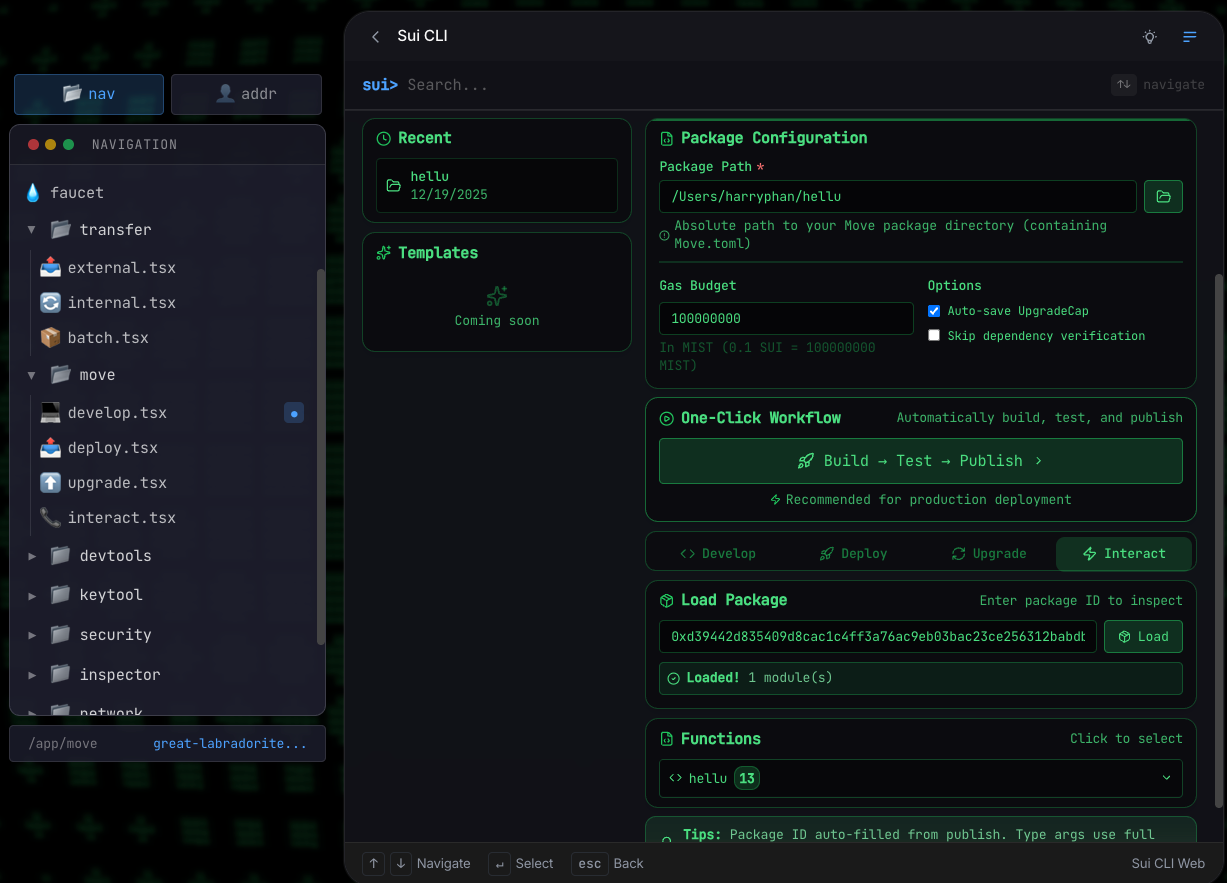
The Difference
It’s not about doing things the CLI can’t do. It’s about doing the same things faster, with fewer mistakes, and without breaking your flow.
What’s Next
The core covers about 95% of Sui CLI commands: address management, token transfers, gas splitting/merging, Move development, PTB builder, transaction inspection, key management, dynamic fields, security verification. Most daily workflows are already here.
But there’s still room to improve.
Transaction history
Browse recent activity, filter by type, search by hash. The data exists on-chain. It just needs a proper interface.
NFT gallery
See your NFTs as images instead of object IDs. Grid view, collection grouping, quick transfer actions.
Better onboarding
Installation guides for Windows, Linux, macOS. Video walkthroughs for common tasks.
The development philosophy stays simple: ship features that solve real problems. No bloat. Every addition has to earn its place.
”The best features come from real pain points.”
If you’re using the tool and hit friction, I want to know.
Try It
npx sui-cli-web-serverThen open cli.firstmovers.io. Your existing Sui CLI config works automatically.
Launch the App
Jump straight in. The app will guide you through server setup if needed.
Follow Updates
Feature announcements and ecosystem insights on X.
Questions or feedback? Find me on X.